How to Create Realistic AI Celebrity Airport Videos with Seedance 2.0 (Viral Paparazzi Prompt Tutorial)
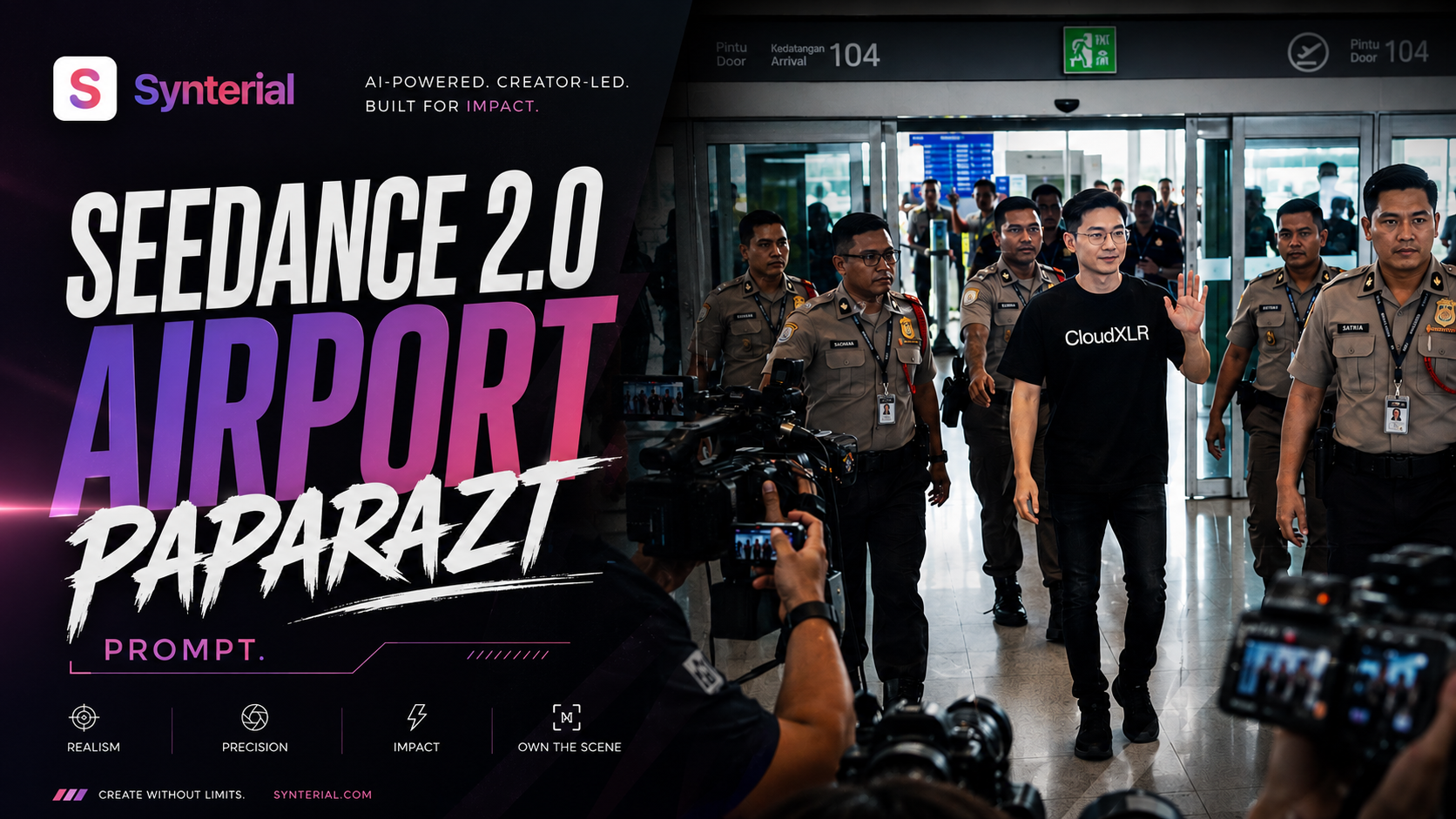
Creating realistic celebrity airport arrival videos with AI used to require expensive film crews, complex VFX pipelines, crowd coordination, and high-end cinematic cameras.
But with Seedance 2.0 inside Synterial, creators can now generate ultra-realistic paparazzi-style airport scenes entirely with AI.
In this tutorial, you will learn how to create a viral cinematic airport paparazzi video using Seedance 2.0 complete with realistic handheld camera movement, chaotic crowd energy, Malaysian airport aesthetics, security escorts, media photographers, and cinematic documentary realism.
The best part?
You can create a fully consistent AI celebrity character using your own face reference.
The workflow is simple:
1. Generate illustration of yourself
Go to synterial image generator , pick nano banana 2 and attach your photo of yourself. Then use this prompt
Image Prompt
Create a fashion sketch illustration of the person from the photo reference. Three views side by side: full body front, medium portrait, full body three-quarter. Style: loose expressive pencil lines with selective watercolor fill. Cool grey-blue palette. White paper space as negative. Skin, light pencil with minimal hatching. Hair, sharp dark ink lines. Keep facial features, hairstyle and all distinguishing features exactly as in the original.
This will create a illustration of yourself to bypass seedance human restriction
2. Generate the video us the provided prompt
Go to synterial video generator, pick seedance 2.0 pick size 480x854 and 15 second duration
Video Prompt
Use image 1 as the main character reference. Face must remain perfectly consistent across all frames with no distortion, no morphing, no facial drift. Character: A calm and confident Asian man with short black hair, thin natural smile, relaxed expression. OUTFIT LOCK (MANDATORY): Black fit tshirt with the word CloudXLR, black skinny jean. Outfit must never change in any frame. no accessories changes, fully consistent throughout the video. STYLE: Ultra-realistic hybrid cinematic documentary style with light IMAX feeling. One continuous handheld shot, no cuts. FEEL: Chaotic, crowded, intense, realistic, viral celebrity airport arrival energy. LOCATION: Large Malaysian airport inspired by Soekarno-Hatta International Airport. Massive glass walls with natural daylight pouring in, polished reflective floors, airport information boards, local security officers, crowd barricades, media photographers, fans holding phones high. AUDIO (natural only): Layered crowd screaming, overlapping voices shouting his name Adam, rapid camera shutter sounds, smartphone recording audio, distant malaysian airport announcements, footsteps, cloth movement, realistic indoor airport echo. LIGHTING: Natural daylight from huge airport windows, soft realistic shadows, reflections on polished floors, slight atmospheric haze for depth. CAMERA SYSTEM: Realistic handheld POV from inside the crowd. Constant micro-shakes, imperfect framing, occasional obstruction by heads, hands, and raised phones. Slight focus hunting. Camera movement reacts naturally to crowd pressure, never overly smooth or cinematic.
TIMELINE (STRICT): 0.0–2.5s: Camera trapped inside a dense chaotic crowd near the airport arrival gate. People push forward aggressively. Raised phones block parts of the frame. The atmosphere is loud and chaotic.
2.5–5.0s: Camera lifts slightly above shoulder level trying to see the arrival gate. Focus shifts naturally between crowd faces and the automatic arrival doors. Camera flashes burst occasionally. Security starts controlling the pushing crowd.
5.0–7.5s: Security officers hold the barricades as the crowd surges harder. Camera shakes from physical pressure. The main character finally appears between gaps in the crowd, initially slightly blurry, becoming clearer as he walks forward calmly with a small escort team.
7.5–9.0s: Natural handheld push closer toward the character. He becomes centered in frame. He calmly raises one hand and waves slowly while giving a confident thin smile. Crowd screams become louder and more chaotic. Reflections from airport lighting move naturally across his face.
9.0–10.0s: The character quickly continues walking past the crowd. Camera struggles to follow through moving people and raised phones. Frame becomes partially blocked while maintaining realistic handheld chaos until the clip ends. PHYSICS & REALISM: Continuous crowd movement at all times, realistic human motion, natural cloth movement, authentic lighting reflections, imperfect camera stabilization, no artificial smoothness, no stylized action effects. CONSTRAINTS: No cuts. No slow motion. No stylized effects. No outfit change. No facial distortion. No cinematic over-smooth motion. FINAL FEEL: A realistic viral airport celebrity video filmed by fans inside a crowded Malaysian airport. Raw chaos mixed with prestige and cinematic realism.
The final result feels like a real-world viral airport clip:
• realistic handheld documentary camera movement
• paparazzi crowd chaos and flashing cameras
• cinematic IMAX-inspired framing
• ultra-realistic airport lighting and reflections
• consistent facial identity across frames
• authentic Malaysian airport atmosphere
• viral celebrity arrival energy
This tutorial is perfect for:
• AI filmmakers
• TikTok creators
• cinematic content creators
• AI short film creators
• virtual influencer creators
• realistic AI video enthusiasts
• Seedance 2.0 prompt engineers