How to Create a Realistic Movie Premiere AI Video Prompt Using Seedance 2.0
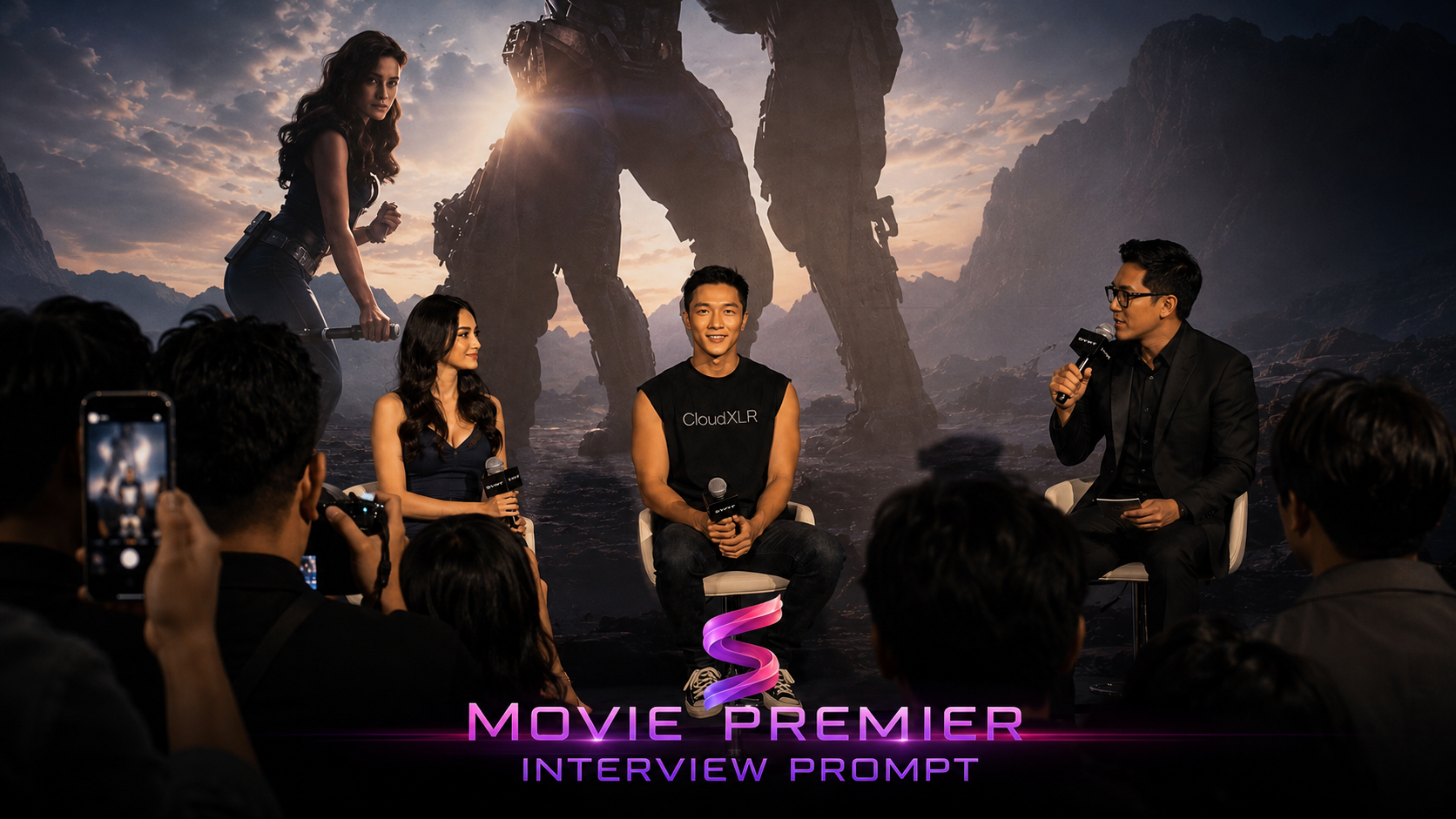
Creating a believable AI-generated movie premiere scene requires more than just writing a simple prompt. You need a strong image reference, the right video settings, and a detailed prompt that tells the AI how the footage should look, move, and sound.
In this tutorial, you will learn how to create a realistic fan-recorded movie premiere press conference video using Seedance 2.0, image references, and a cinematic event prompt.
What You Will Create
You will create a realistic vertical video that looks like raw audience phone footage from a luxury film premiere press conference in Malaysia. The video features an Asian male talent seated on stage, holding a microphone, surrounded by a female guest, a male MC, journalists, fans, phones, and camera flashes.
The final result should feel like a real smartphone recording, not a polished commercial video.
Step-by-Step Tutorial
1. Go to Studio
Open synterial studio,this is where you will prepare references.
You will also generate the final video.
2. Generate Your Image Reference
Select your image and generate an image reference. This reference helps the AI understand the subject. It also keeps the character more consistent.
Use this image prompt:
Create a fashion sketch illustration of the person from the photo reference. high sading detail on the face but no color Three views side by side: full body front, medium portrait, full body three-quarter. Style: loose expressive pencil lines with selective watercolor fill. Cool grey-blue palette. White paper space as negative. Skin, light pencil with minimal hatching. Hair, sharp dark ink lines. Keep facial features, hairstyle and all distinguishing features exactly as in the original.
3. Attach the Generated Image
After the image is generated, scroll slightly down. Press the attach button under the generated image. This attaches the image as your main reference.
4. Set the Video Configuration
Click the video button and then set the model to Seedance 2.0, video size to 480x854, video duration to 15 seconds. This creates a vertical short-form video.
5. Enter the Video Prompt
Paste the full prompt below into the prompt box.
Make sure your attached image is available.
Use the image reference for character consistency.
Main subject: Attahment 1 is an Asian man with a masculine face and short black hair. He is seated casually in the center chair on stage, holding a wireless microphone. He is wearing a black tshirt with the text "CloudXLR", skinny black jeans, and black converse shoe. Video style: The footage must look like raw candid audience phone footage, recorded on an iPhone 17 Pro Max in auto mode. It should feel completely realistic and unpolished, like a fan recording from the audience. Include natural handheld micro-shake, imperfect framing, occasional autofocus hunting, exposure shifts caused by stage spotlights, and natural smartphone motion blur. The result must feel like a real audience recording, not a polished cinematic production. Location and environment: The setting is a luxurious film premiere press conference in Malaysia. The stage has a large movie backdrop using image reference 2. Behind the speakers, lit by warm spotlights. In front of the stage are journalists seated in rows, with fans holding up phones and several DSLR cameras visible in the foreground. The venue should feel large, premium, and realistic. People on stage: The sits in the middle. On his left is a beautiful Asian woman wearing an elegant dark outfit, also holding a microphone. On his right is a male MC wearing a formal black outfit. Sequence: At 0 seconds, the camera records from behind the journalists. The framing is slightly blocked by audience heads and raised phones. The spotlight is a little overexposed, and the camera slowly shifts toward the three talents on stage. At 2 seconds, the smartphone autofocus briefly hunts. The movie backdrop becomes sharp while the talents’ faces go slightly blurry for a moment, then focus locks back onto @image 1. Female fans can be heard calling, “Bang!” and “Baang!” At 3 seconds, the male MC turns toward @image 1 and asks, “Bagaimana pengalaman kamu di film ini?” At 5 seconds, the audience camera moves slightly closer with natural handheld shake. A journalist’s DSLR briefly blocks part of the lower frame. @image 1 smiles casually and raises the microphone closer to his mouth. At 6 seconds, @image 1 speaks warmly and naturally, saying: “Wah… ini salah satu pengalaman terbaik selama karier saya.” The audience gives light applause. Female fans shout, “Bang, keren banget!” The smartphone exposure becomes slightly overblown as the spotlight hits his face. At 8 seconds, focus briefly hunts again, then locks back onto the full stage. The Asian woman on the left smiles toward @image 1, and the MC gives a small laugh. Fans continue calling out, “Bang!” and “Love you Bang!” At 10 seconds, the footage ends abruptly and naturally, with the camera still pointed at the stage. Light applause and venue ambience remain audible. Audio design: The audio must feel fully realistic and captured live in the venue. Include audience whispers, camera shutter sounds, microphone handling noise, chairs shifting, large indoor AC ambience, small applause, and fan voices. The sound should feel like authentic event audio from a smartphone recording. Important direction: Do not make it look like a polished film scene or professionally shot commercial video. It must feel like a real fan-recorded smartphone clip from inside a live press conference audience.
6. Submit and Wait
Click submit and wait for generation.
Review the final result carefully.
Regenerate if the motion feels too polished.