Synterial V3 Released: Multimodal AI Workspace, AI Video Studio, and Creator Marketplace for 2026
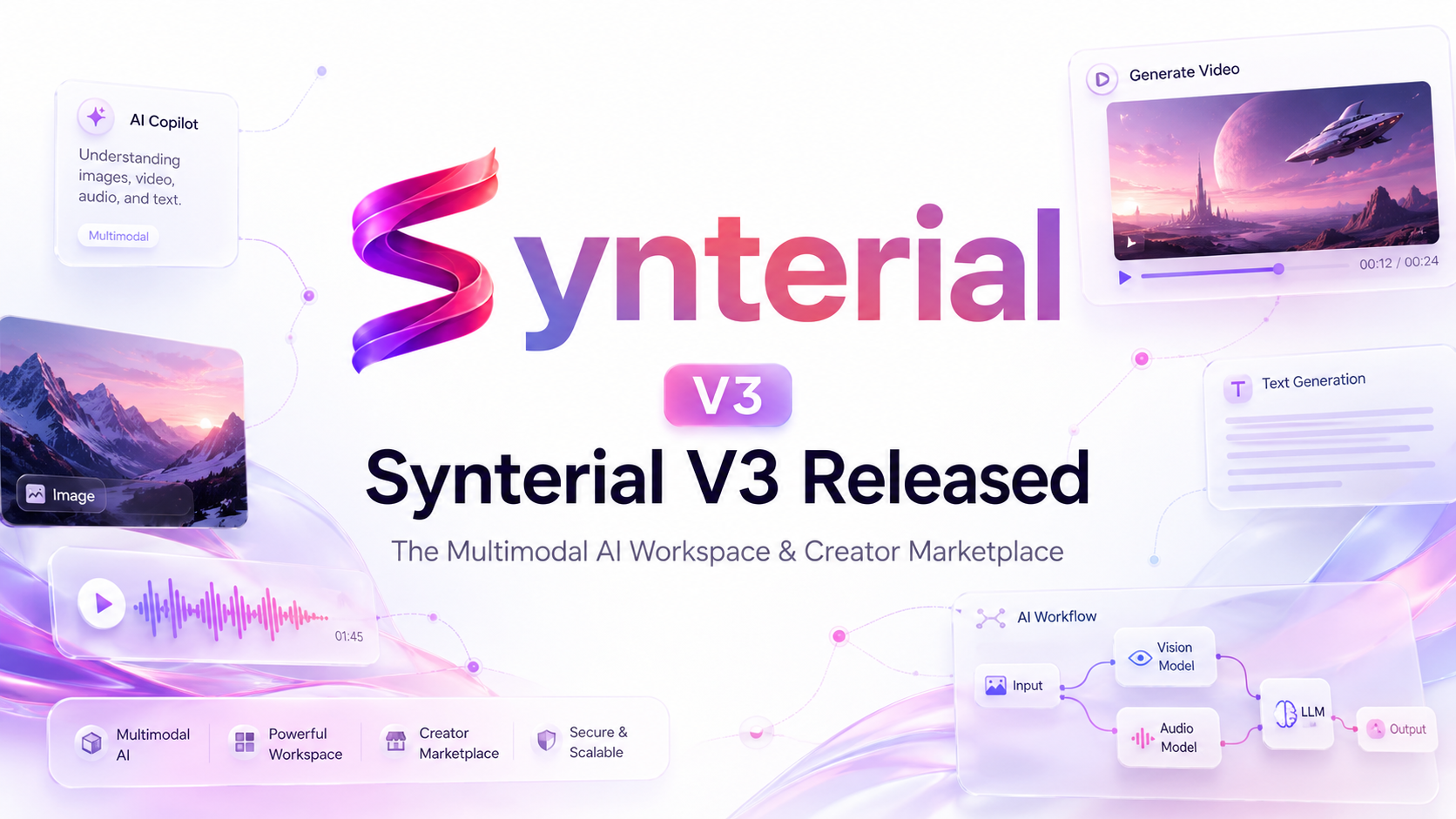
What Is Synterial V3?
Synterial V3 is the newest version of Synterial, an AI-powered content creation platform built for creators, brands, marketers, and production teams.
The new release turns Synterial into a complete multimodal AI workspace where users can generate images, create videos, edit media, automate content pipelines, collaborate with brands, and earn from creator campaigns inside one platform.
Instead of switching between separate tools for AI image generation, AI video generation, editing, campaign management, and brand collaboration, Synterial V3 brings everything into a single creative operating system.
This update introduces major upgrades across the Conversational Agent Workspace, AI Media Studio, Visual Node Studio, Browser Video Editor, Creator CoLab marketplace, MCP server integration, pricing plans, and platform workflow improvements.
Synterial V3 at a Glance
AreaWhat ChangedWhy It MattersAI WorkspaceNew conversational agent interfaceCreate using chat, files, and media referencesAI Image StudioNano Banana 2 and ChatGPT Image 2Generate high-quality visual concepts fasterAI Video StudioVeo 3.1, Seedance 2.0, and Kling Video 3.0 ProProduce cinematic AI videos in multiple formatsNode StudioVisual AI workflow builderAutomate repeatable content pipelinesBrowser EditorTimeline-based video editingEdit videos without installing softwareCreator CoLabBrand and creator campaign marketplaceHelp creators earn from AI-generated UGCMCP ServerAI assistant integrationConnect Synterial to external AI toolsPricingMonthly and yearly plansScale credits based on creator needs
1. Conversational Agent Workspace for Multimodal Creation
The biggest upgrade in Synterial V3 is the new Conversational Agent Workspace, available at /agent.
This workspace acts as the command center for AI-assisted content creation. Users can start a chat, upload creative references, ask for campaign ideas, analyze media files, write scripts, generate marketing angles, and prepare production-ready prompts from a single interface.
The workspace also supports clean session routes through /agent/:chatId, making it easier to return to previous creative sessions.
Key Features of the Agent Workspace
FeatureDescriptionMulti-reference trayUpload up to 10 images, videos, or audio filesDrag-and-drop uploadsAdd creative references quicklyMultimodal analysisAnalyze image, video, and audio referencesSmart session titlesAuto-name chats using the first promptPrompt reference controlRefer to uploaded files inside promptsBalance protectionShow upgrade prompts when credits are low
The Agent Workspace is designed for users who want to move faster from idea to execution. A creator can upload a product image, add a video reference, describe the desired ad concept, and ask the AI to generate scripts, shot lists, captions, hooks, or production prompts.
For brands and marketers, this reduces the friction between strategy, creative direction, and production.
2. AI Media Studio with Image and Video Model Upgrades
Synterial V3 upgrades the AI Media Studio at /studio with new image and video generation models.
The studio is now built to support modern content formats, including square posts, landscape videos, vertical TikTok videos, Instagram Reels, YouTube Shorts, ad creatives, cinematic clips, and campaign assets.
Image Studio
The Image Studio now supports advanced AI image generation for creators, brands, and marketers.
Nano Banana 2
Nano Banana 2 is designed for fast visual drafting and creative exploration. It is useful for concept art, campaign visuals, character ideas, social content, product mockups, and early-stage creative direction.
ChatGPT Image 2
ChatGPT Image 2 is designed for more complex visual styles, detailed compositions, design-heavy outputs, and premium creative assets.
Supported Image Formats
FormatUse Case1:1 SquareSocial posts, thumbnails, product visuals16:9 LandscapeYouTube covers, article headers, ads9:16 PortraitTikTok, Reels, Shorts, mobile ads
Supported Image Quality Levels
QualityBest For1K StandardFast drafts and previews2K EnhancedBetter social-ready visuals4K UltraHigh-quality campaign assets
Video Studio
The Video Studio receives one of the largest upgrades in Synterial V3. It now supports multiple AI video generation models for different production needs.
Veo 3.1 Pro and Veo 3.1 Fast
Veo 3.1 is built for high-fidelity AI video generation. It supports multiple output sizes and short-form video durations, making it suitable for cinematic clips, product ads, visual storytelling, and branded video concepts.
Supported formats include 1280x720, 720x1280, and 1024x1024. Supported durations include 4 seconds, 6 seconds, and 8 seconds.
Seedance 2.0
Seedance 2.0 is designed for high-definition vertical and horizontal AI video generation. It supports custom durations from 4 seconds to 15 seconds, making it useful for short-form social media content, creator videos, action scenes, UGC concepts, and campaign experiments.
Supported formats include 1920x1080 and 1080x1920.
Kling Video 3.0 Pro
Kling Video 3.0 Pro is optimized for cinematic motion and visual storytelling. It supports videos up to 15 seconds and multiple output sizes, including 1280x720, 720x1280, and 720x720.
First and Last Keyframe Mode
Synterial V3 also introduces First and Last Keyframe Mode. This allows users to upload two reference images and lock the start and end frames of a video generation.
This is useful for transformation videos, product reveal shots, character motion, before-and-after sequences, and controlled visual transitions.
3. Visual Node Studio for AI Workflow Automation
Synterial V3 introduces Visual Node Studio, available at /tools/node-studio.
Node Studio is a visual workflow builder for creators and teams who want to build repeatable AI content pipelines. Instead of writing prompts from scratch every time, users can connect nodes together and create a reusable production system.
This is especially useful for brands, agencies, and creators who produce recurring content formats.
Node Studio Capabilities
Node TypePurposeInput ImageAdd image referencesInput VideoAdd video referencesDynamic CreatorUse the active creator profileNano Banana 2Generate images inside a workflowVeo 3.1Generate video outputsStitch NodeCombine generated video clipsOutput NodeExport final workflow results
The FFmpeg-powered Stitch Node allows users to connect multiple video nodes and automatically combine the clips into one final output file.
This makes Node Studio useful for ad templates, branded video sequences, creator campaign workflows, AI UGC pipelines, and repeatable content formats.
4. Browser Video Editor for Timeline-Based Editing
Synterial V3 adds a professional browser-based video editor at /editor.
The editor gives creators a non-linear editing experience directly inside the browser. Users can edit generated videos, imported clips, images, audio files, and campaign assets without installing desktop editing software.
Browser Editor Features
FeatureWhat It DoesTimeline editingArrange clips across multiple tracksClip trimmingCut video and image durationSplit toolDivide clips into smaller sectionsTransform controlsScale, rotate, and position mediaAudio mixingAdd voiceovers, music, and sound effectsClip volumeAdjust individual audio levelsHD exportExport final videos directly from browser
The editor supports WebM export using VP9 and VP8 rendering, with export bitrates up to 15 Mbps for Super HD outputs.
This gives creators a complete workflow from generation to final edit.
5. Creator CoLab Marketplace for AI UGC Campaigns
Synterial V3 expands the Creator CoLab marketplace at /colab.
Creator CoLab connects brands with vetted AI creators who can produce and publish campaign content. The goal is to make user-generated content campaigns faster, more scalable, and easier to manage.
Brands can create campaign briefs, provide required captions and hashtags, and allow creators to generate approved campaign assets using Synterial’s AI tools.
Creators can browse active campaigns, generate content, post organically, submit the post URL, and receive payouts after verification.
How Creator CoLab Works
StepAction1Creator browses available campaign briefs2Creator selects a campaign3Creator runs the approved AI pipeline4Creator publishes the content organically5Creator uses the required caption and hashtags6Creator submits the live post URL7Brand verifies the submission8Creator receives payout in wallet
This workflow helps brands scale organic creator campaigns while giving creators a way to earn from AI-assisted content production.
Creator CoLab Commission and Payout Formula
Synterial charges a 50% platform commission on completed campaigns.
The creator payout is calculated using this formula:
Net Creator Payout = Brief Reward - Platform Commission - AI Project Costs
For example, if a campaign reward is approved, Synterial deducts the platform commission and any AI generation costs before depositing the remaining amount into the creator wallet.
Creators can manage bank details or upload TnG and DuitNow QR codes in Account Settings at /account/setting.
Withdrawals are available once the creator wallet reaches the minimum threshold of $2.50.
6. MCP Server Integration for AI Assistants
Synterial V3 includes an active Model Context Protocol server, also known as MCP.
The MCP server allows external AI assistants and developer tools to connect with Synterial using SSE transport. This makes Synterial more compatible with AI-first workflows, automation systems, and agent-based environments.
The Synterial MCP server can be used by supported tools such as Claude Desktop, Cursor, and other AI environments that support MCP connections.
Available MCP Tools
MCP ToolFunctionget_active_jobsQuery active Creator CoLab campaignsget_platform_statsRetrieve platform growth and creator metricsget_latest_newsPull recent Synterial articles and tutorials
Claude Desktop MCP Configuration
{
  "mcpServers": {
    "synterial": {
      "command": "npx",
      "args": [
        "-y",
        "@modelcontextprotocol/inspector",
        "https://synterial.com/api/mcp/sse"
      ]
    }
  }
}
This integration helps developers, creators, and AI power users connect Synterial to their broader creative workflow.
7. Synterial V3 Pricing and Credit Plans
Synterial V3 includes flexible pricing plans for creators, professionals, businesses, and studios.
Annual subscriptions receive a 20% discount compared to monthly billing.
PlanMonthly PriceAnnual PriceMonthly CreditsBest ForStarter$20/month$192/year10,000 creditsNew creators and small projectsPro$99/month$950.40/year50,000 creditsActive creators and marketersBusiness$199/month$1,910.40/year100,000 creditsTeams and growing brandsStudio$999/month$9,590.40/year500,000 creditsAgencies and production studios
Each plan is designed to support a different level of AI generation, production speed, and creative output.
8. Other Platform Enhancements in Synterial V3
Synterial V3 also introduces improvements across platform organization, creator workflows, and specialized creative tools.
ModuleUpgradeBenefitAgent WorkspaceConversational media pipelineWork with text, image, video, and audio referencesCinema WorkspacesCollection foldersOrganize generations by campaignSpecialized ToolsHook, carousel, and GIF enginesCreate focused social media assets fasterOriginal FilmsProduction masterclassesLearn cinematic AI production techniquesCreator WorkflowsBetter asset reuseReuse previous generations as references
These enhancements make Synterial V3 more than a generator. It becomes a full production environment for AI-powered media creation.
Why Synterial V3 Matters for Creators
Synterial V3 is built for the way modern creators actually work.
A creator may need to brainstorm campaign angles, generate product visuals, create a video, edit the final clip, write captions, post the content, and submit proof to a brand. In traditional workflows, this requires many tools.
Synterial V3 brings those steps into one ecosystem.
This reduces creative friction and helps creators move from idea to published content faster.
Why Synterial V3 Matters for Brands
For brands, Synterial V3 creates a faster path to scalable content production.
Instead of manually coordinating every creator, asset, caption, edit, and revision, brands can use Synterial to build repeatable campaign workflows.
Creator CoLab helps brands reach audiences through organic creator distribution, while Node Studio allows campaign assets to be generated using consistent creative pipelines.
This makes Synterial useful for UGC campaigns, product launches, short-form ads, influencer marketing, social commerce, and AI-powered content operations.
Frequently Asked Questions About Synterial V3
What is Synterial V3?
Synterial V3 is an AI-powered multimodal workspace and creator marketplace for generating, editing, automating, and monetizing digital content.
What can I create with Synterial V3?
You can create AI images, AI videos, social media ads, UGC campaign assets, captions, scripts, visual concepts, edited videos, and automated content workflows.
Does Synterial V3 support AI video generation?
Yes. Synterial V3 supports AI video generation through models such as Veo 3.1, Seedance 2.0, and Kling Video 3.0 Pro.
Does Synterial V3 include a video editor?
Yes. Synterial V3 includes a browser-based video editor with timeline editing, trimming, splitting, audio mixing, transform controls, and HD export.
What is Creator CoLab?
Creator CoLab is Synterial’s creator marketplace where brands can publish campaign briefs and creators can produce, post, submit, and earn from campaign content.
What is Node Studio?
Node Studio is Synterial’s visual AI workflow builder. It allows users to connect nodes and create repeatable image, video, and content generation pipelines.
Can creators earn money with Synterial?
Yes. Creators can join campaign briefs through Creator CoLab, publish approved content, submit post URLs, and receive payouts after brand verification.
Does Synterial V3 support MCP?
Yes. Synterial V3 includes an MCP server that allows external AI tools and assistants to connect with Synterial using SSE transport.
Final Thoughts
Synterial V3 is a major step forward for AI-powered content creation.
The platform now combines multimodal AI chat, image generation, video generation, browser editing, visual workflow automation, creator monetization, brand campaigns, and MCP integration into one connected workspace.
For creators, Synterial V3 helps turn ideas into publishable content faster.
For brands, it creates a scalable system for AI-assisted UGC campaigns and creator collaboration.
For AI power users, it provides a flexible creative environment that can connect with modern agent-based workflows.
Synterial V3 is now live.
Start creating with Synterial today at: